

GitHub CodeQL

Part of StackHawk’s official GitHub App integration.
Overview
StackHawk integrates with GitHub CodeQL to correlate static analysis (SAST) findings with dynamic scan results:
- View CodeQL results alongside HawkScan findings - See the vulnerable line of code directly in your scan results
- Prioritize issues faster - CodeQL identifies potential vulnerabilities; HawkScan confirms they’re exploitable
- Fix with full context - Jump from a finding to the exact line of code in GitHub
Features
- Automatically link HawkScan Findings with GitHub CodeQL Issues whenever you scan your application.
- Finding Details with linked CodeQL issues show where in the code the vulnerability was identified with links to GitHub for further information.
Requirements
You must have the official StackHawk GitHub App installed, with a repo mapped to the application you are trying to scan. The mapped repo must have CodeQL results.
For detailed installation and configuration docs, see the GitHub integration page.
Usage
Once the GitHub Integration is installed and a StackHawk Application is connected to a GitHub repository, future scans will show findings correlated to CodeQL issues based on the CWE ID. When a StackHawk Application and a GitHub Repository with CodeQL findings are connected, HawkScan will link its Findings with correlated GitHub CodeQL Issues for all Environments in the given Application.
Application Badging
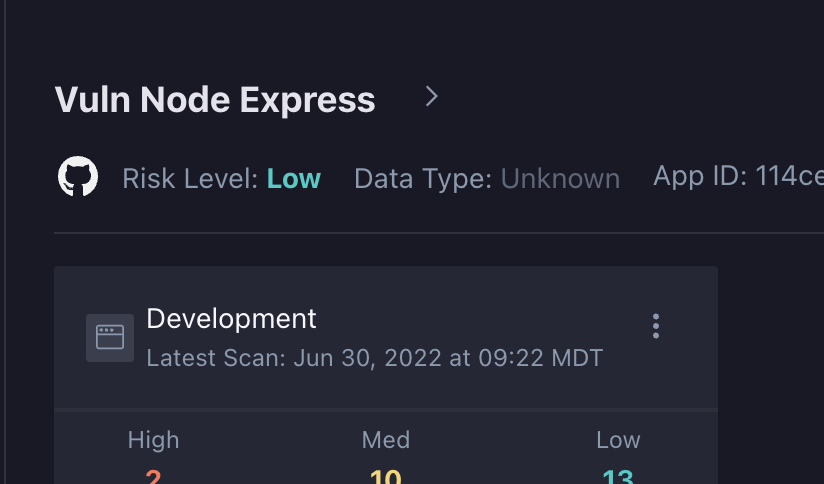
Applications mapped to a GitHub repository will have the logo under the name of the Application.
Scan and Finding List Badging
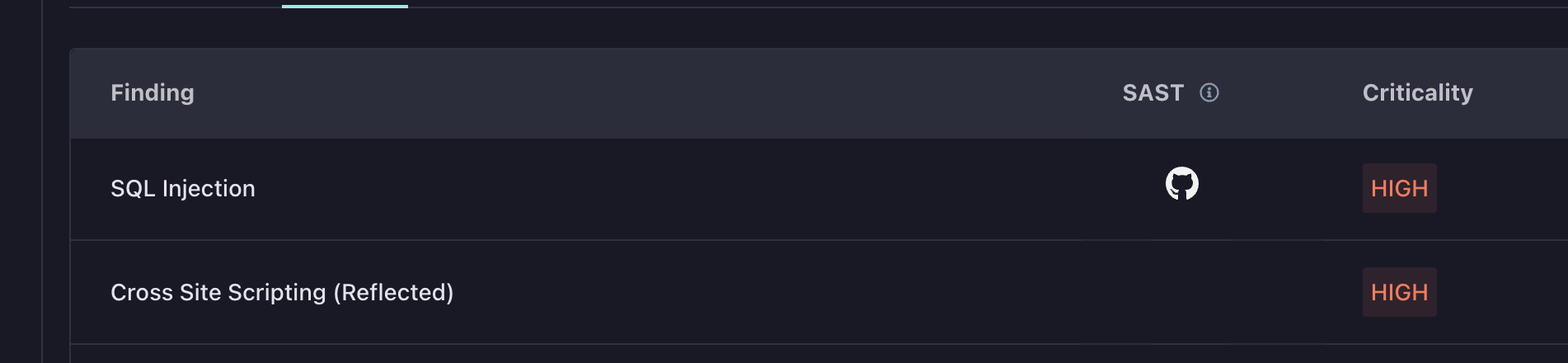
When viewing the Scan list or the list of Findings on a specific scan, a SAST column will be present. If this column has the GitHub logo, there is a linked GitHub CodeQL issue.

Finding Details GitHub CodeQL Tab
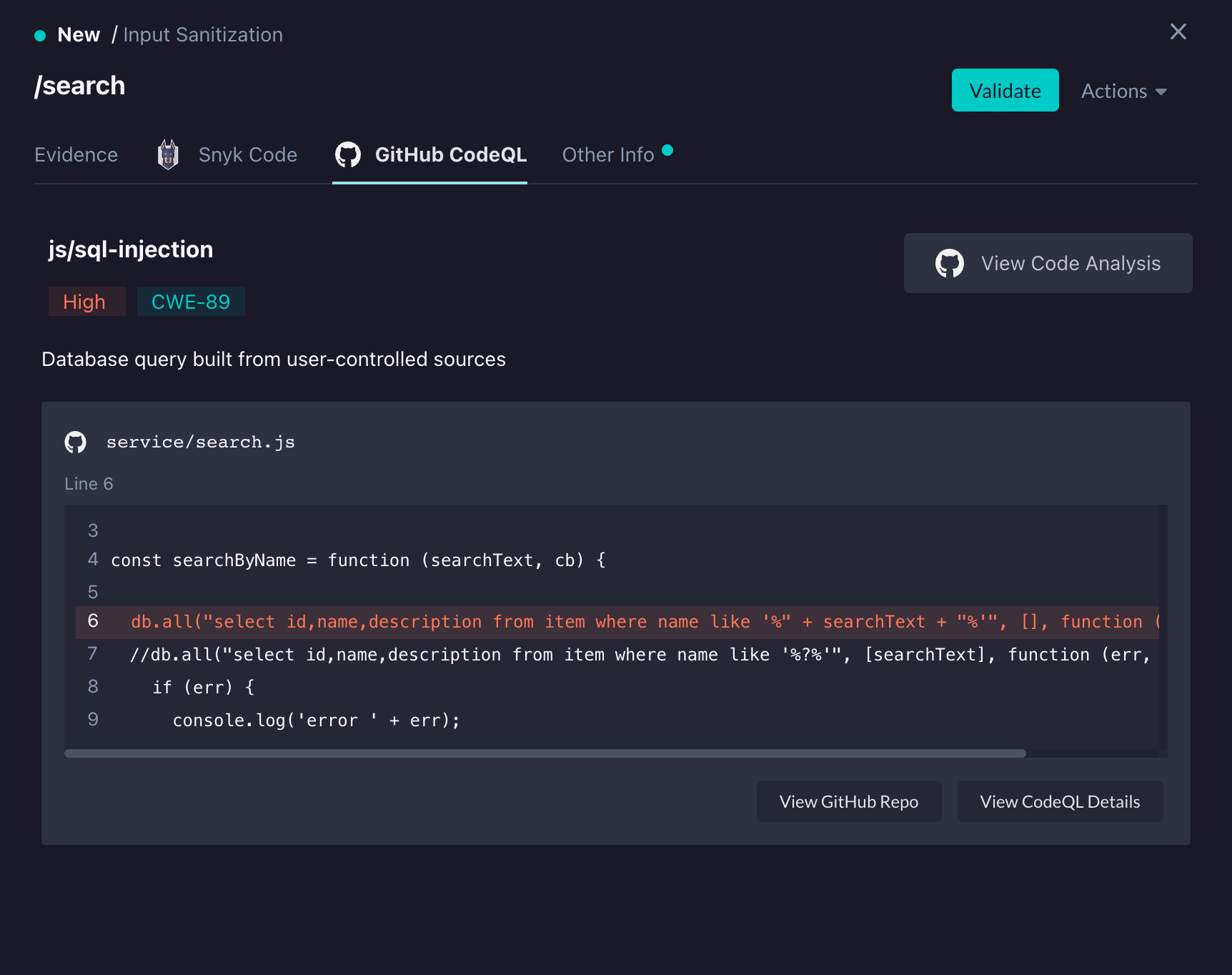
When looking at the details of a specific Finding that has a linked GitHub CodeQL Issue, the GitHub CodeQL tab will be displayed.
It will have details on the GitHub CodeQL Issues, with links to GitHub for more information.
Note that the GitHub CodeQL tab in Finding Details will show at most 15 instances of the found CodeQL Issue.
The vulnerable line(s) of code along with a small amount of context will be displayed.
Troubleshooting
If your scan results aren’t showing linked GitHub CodeQL issues when you expect them, verify that:
- A StackHawk Application is connected to a GitHub repository in the GitHub integration
- The scan was run after the connection was established (past scans cannot be retroactively linked)
Note: Repository mappings apply at the Application level. All Environments within that Application will have their findings linked with GitHub CodeQL issues.
Feedback
Have any suggestions, feature requests, or feedback to share? Contact StackHawk Support.