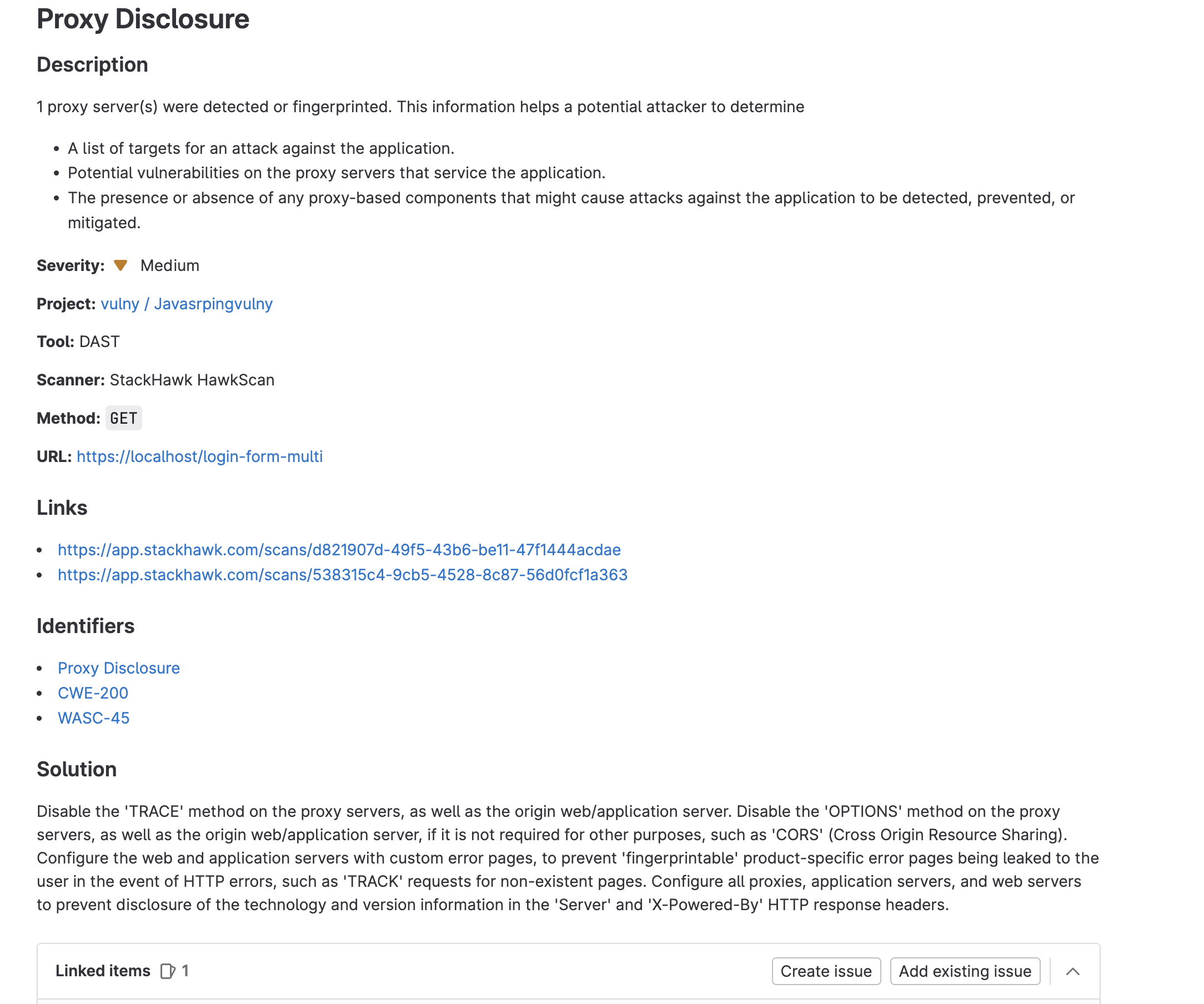

Vulnerability Report

With StackHawk’s code scanning integration in Gitlab, teams can now run Dynamic API and Application Security Testing (DAST) whenever they check-in code and view results directly in GitLab.
Requirements
StackHawk:
- You must have a StackHawk account.
GitLab:
- You must have login permissions to the GitLab account you wish to add the integration to.
- You must have a GitLab Ultimate plan to access GitLab Security And Compliance Dashboard
- You must have configured StackHawk scanning for your project with GitLab Pipelines
Enabling Vulnerability Reporting in GitLab with HawkScan
This integration can be broken down into four major steps:
- Configuring StackHawk to run in your GitLab pipeline
- Updating your GitLab pipeline to create a DAST report
- Running your pipeline
- Viewing and triaging results
Configuring StackHawk in the GitLab Pipeline
You can add StackHawk scanning to your GitLab pipeline by adding scanning to your .gitlab-ci.yml and adding a stackhawk.yml configuration file to your repository.
Detailed set up instructions can be found in HawkScan and GitLab
Updating GitLab Pipeline to Create a DAST report
Once you have set up scanning in your GitLab pipeline, you need to add two things to your .gitlab-ci.yml.
First, set the DAST_ARTIFACT environment variable to tell HawkScan to write a DAST report, stackhawk-dast-report.json, to your repository directory when the scan finishes.
Next, add stackhawk-dast-report.json to the job’s DAST report artifacts.
Your updated StackHawk job should look something like this:
hawkscan:
  image: ubuntu:22.04
  variables:
    DAST_ARTIFACT: "true"
    # Optional: pin a version (6.0.0 or later). Leave it unset to install the latest release.
    # HAWK_INSTALL_VERSION: "6.6.0"
  before_script:
    - apt-get update -qq && apt-get install -qq -y curl
    - curl -fsSL https://download.stackhawk.com/hawk/install.sh | sh
    - export PATH="$HOME/.hawk/bin:$PATH"
  script:
    - hawk --api-key="hawk.${HAWK_API_ID}.${HAWK_API_SECRET}" scan
  artifacts:
    reports:
      dast: stackhawk-dast-report.json
This job installs the hawk CLI with the install script, adds it to the PATH, and runs the scan. See HawkScan and GitLab for details.
Docker Alternative
If you run HawkScan as a Docker container, pass DAST_ARTIFACT into the container instead:
hawkscan:
  image: docker
  services:
    - docker:dind
  before_script:
    - docker pull stackhawk/hawkscan
  script:
    - |
      docker run -v $(pwd):/hawk:rw -t \
        -e API_KEY="hawk.${HAWK_API_ID}.${HAWK_API_SECRET}" \
        -e NO_COLOR=true \
        -e DAST_ARTIFACT=1 \
        stackhawk/hawkscan
  artifacts:
    reports:
      dast: stackhawk-dast-report.json
Running Your Pipeline
The actions that trigger your build pipeline, such as code changes and creating pull requests, will now trigger running HawkScan and creating a vulnerability report.
Viewing and Triaging Scan Results
The vulnerability report is included in the Security and Compliance section of GitLab.
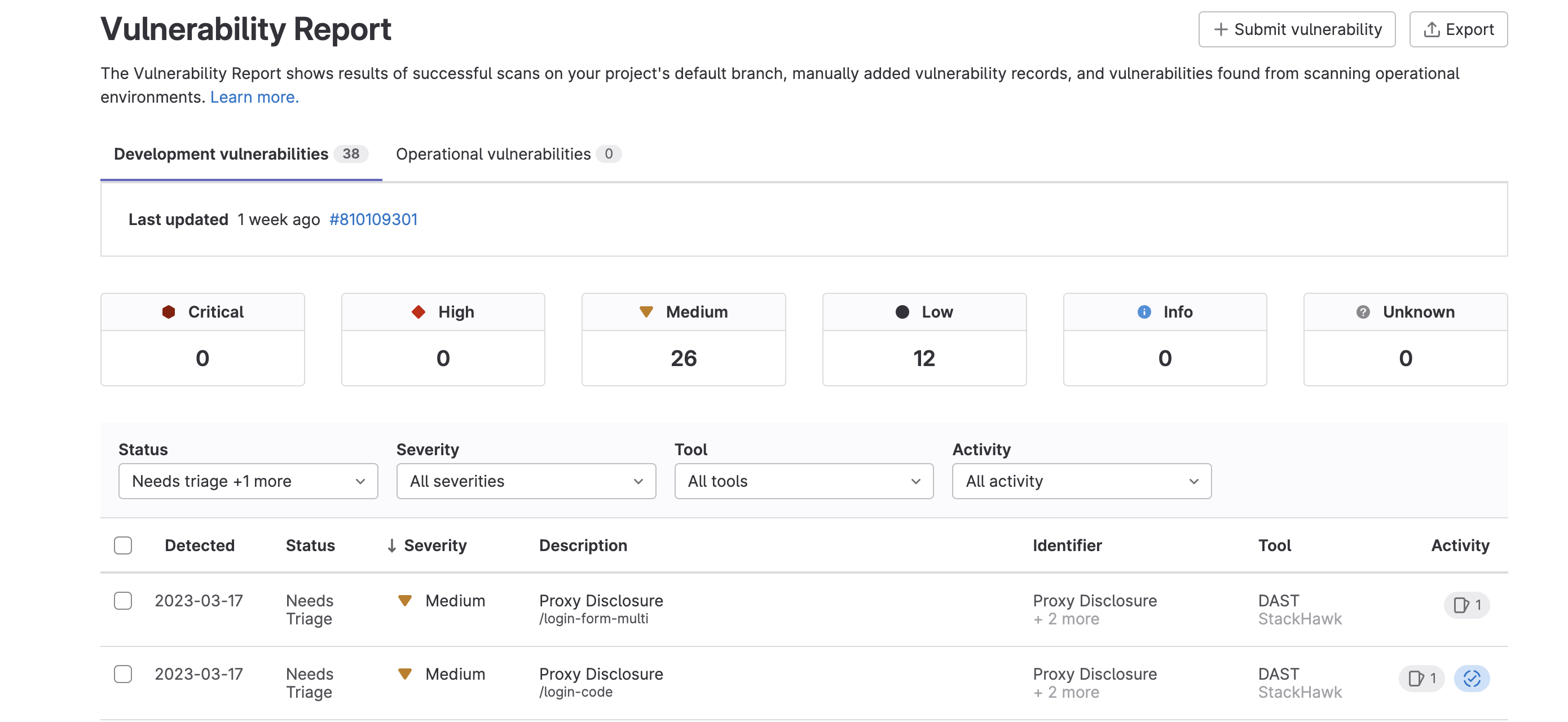
Vulnerability Report
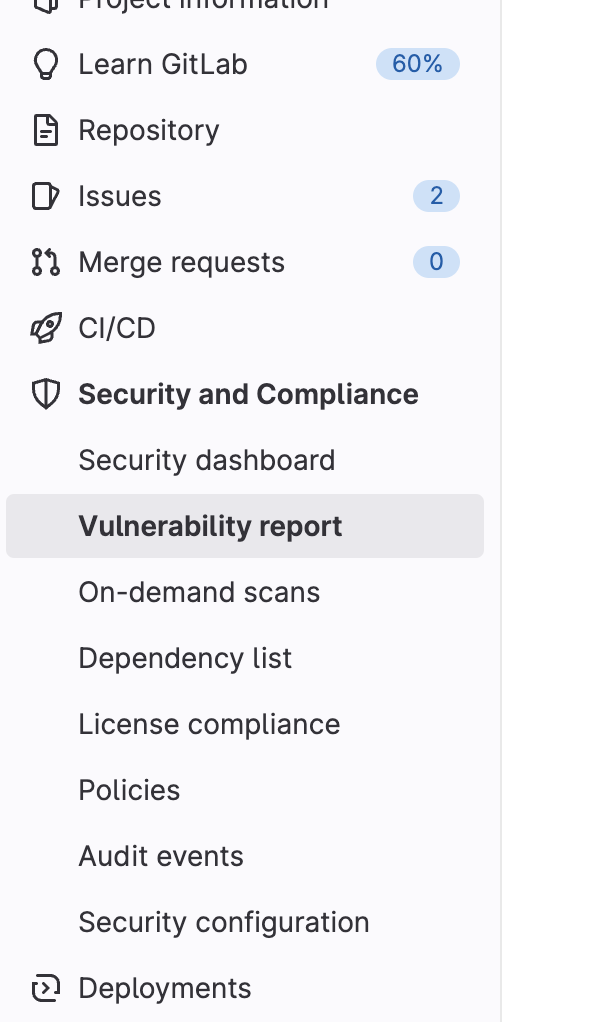
To view the vulnerabilities that StackHawk found in your application, navigate to the Vulnerability Report section of the Security and Compliance center.
This should give you an overview of all your vulnerabilities.
Triaging Vulnerabilities
Click into each vulnerability to view details and create issues by clicking on the Create Issue button on the bottom of the page.