

Defender for Cloud

Overview
Export HawkScan results to Microsoft Defender for Cloud using SARIF (Static Analysis Results Interchange Format). This integration works with both GitHub Actions and Azure DevOps Pipelines.
SARIF is a standard format for security tool output that Microsoft Defender for Cloud uses to aggregate findings across your development workflows.
GitHub Actions
Configure a GitHub Action workflow to generate SARIF output and upload it to Microsoft Defender for Cloud.
Prerequisites
- A StackHawk API key
- A
stackhawk.ymlconfiguration file in your repository - Your API key stored as
HAWK_API_KEYin repository secrets (Settings > Secrets and variables > Actions)
Workflow Configuration
Add these steps to your GitHub Actions workflow:
- name: Run HawkScan
  uses: stackhawk/hawkscan-action@v2.1.3
  with:
    apiKey: ${{ secrets.HAWK_API_KEY }}
  env:
    SARIF_ARTIFACT: true

- name: Upload SARIF artifact
  uses: actions/upload-artifact@v4
  with:
    name: StackHawk_Report_${{ github.run_id }}
    path: stackhawk.sarif
    if-no-files-found: error

- name: Upload to Microsoft Defender
  uses: microsoft/security-devops-action@v1
  id: msdo
  with:
    existingFilename: stackhawk.sarif
The SARIF_ARTIFACT: true environment variable tells HawkScan to generate a stackhawk.sarif file. The Microsoft Security DevOps action uploads this file to Defender for Cloud.
Your application must be running and accessible at the app.host URL in your stackhawk.yml before scanning. See the GitHub Actions documentation for complete workflow examples.
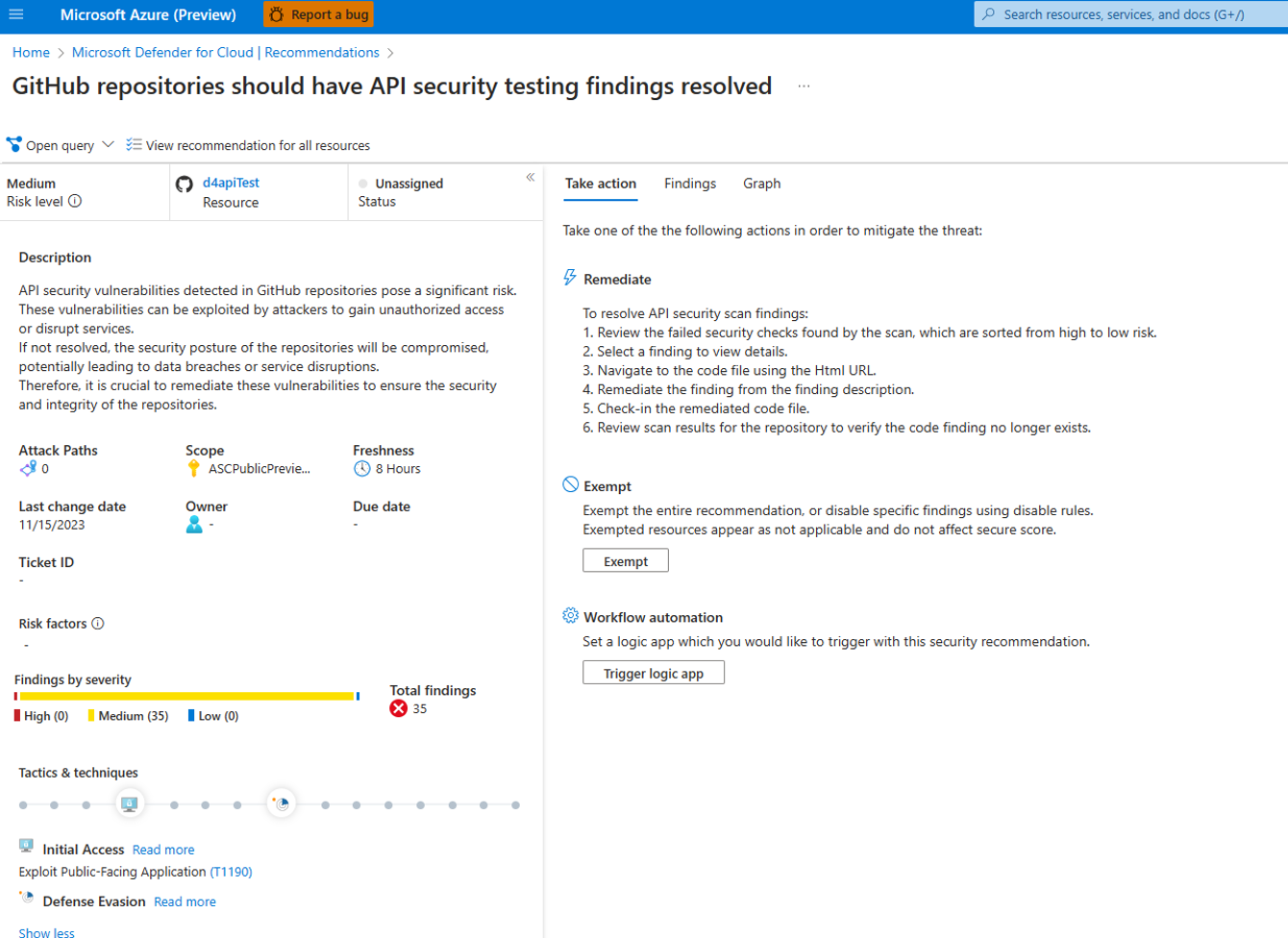
Viewing Results in Defender for Cloud
- Open the Defender for Cloud dashboard.
- Click Recommendations.
- Search for “API security testing”.
- Select “GitHub repositories should have API security testing findings resolved.”
Azure DevOps Pipelines
Configure an Azure DevOps pipeline to generate SARIF output and upload it to Microsoft Defender for Cloud.
Prerequisites
- A StackHawk account
- The HawkScan Extension installed in your Azure DevOps organization
- Your API key stored as
HAWK_API_KEYin pipeline variables
Pipeline Configuration
Add these tasks to your azure-pipelines.yml:
- task: HawkScanInstall@1.2.8
  inputs:
    version: "3.7.0"
    installerType: "msi"

- task: RunHawkScan@1.2.8
  inputs:
    configFile: "stackhawk.yml"
    version: "3.7.0"
  env:
    HAWK_API_KEY: $(HAWK_API_KEY)
    APP_ENV: $(imageName)
    APP_ID: $(appId)
    SARIF_ARTIFACT: true
Set SARIF_ARTIFACT: true in the RunHawkScan task environment to generate SARIF output. Configure HAWK_API_KEY and other variables in the Azure DevOps pipeline UI (Pipelines > Edit > Variables).
Your application must be running and accessible at the app.host URL in your stackhawk.yml before scanning.
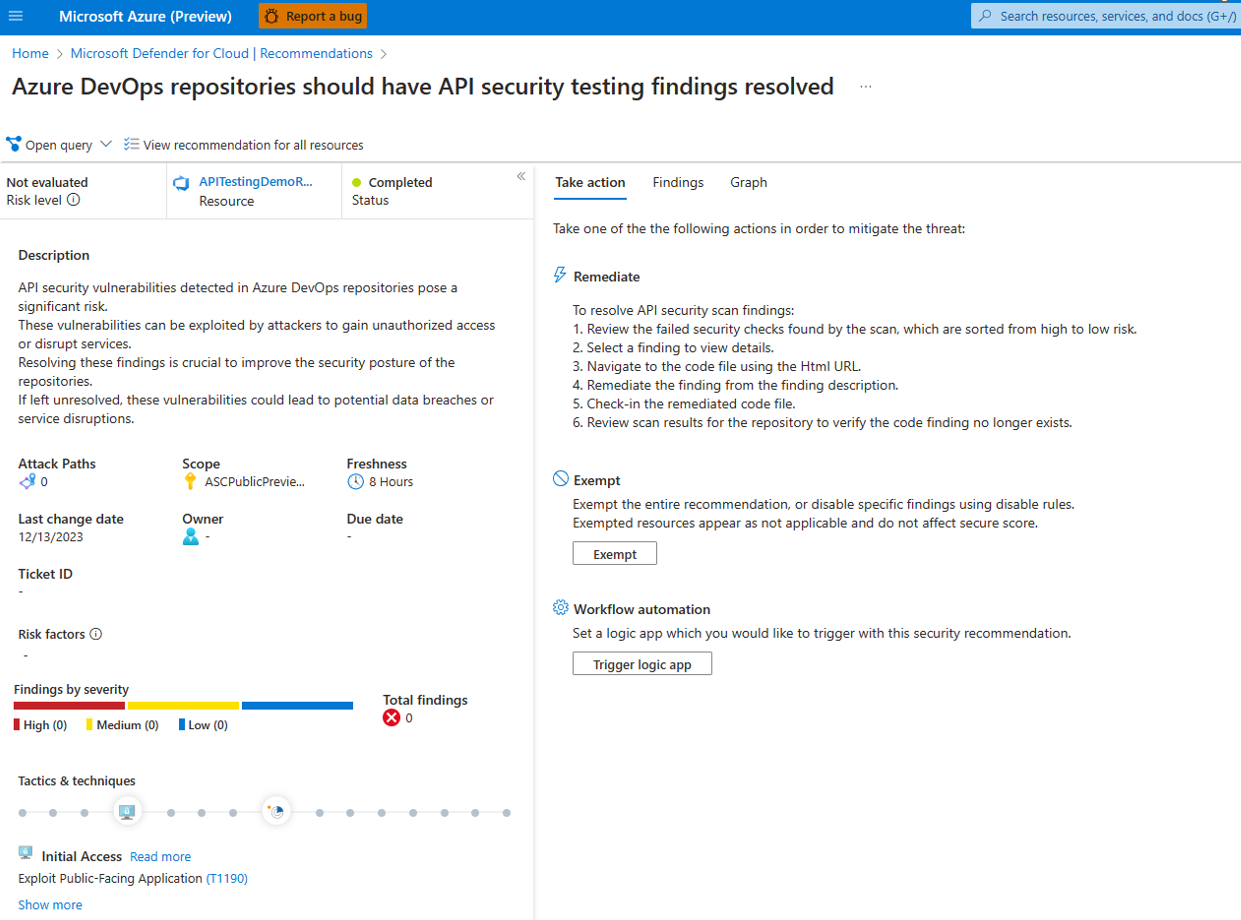
Viewing Results in Defender for Cloud
- Open the Defender for Cloud dashboard.
- Click Recommendations.
- Search for “API security testing”.
- Select “Azure DevOps repositories should have API security testing findings resolved.”
Feedback
Have suggestions or feedback? Contact StackHawk Support.