

OpenAPI Spec Generation
This feature is available on the StackHawk Enterprise plan.
Most APIs lack OpenAPI specifications, which makes comprehensive security testing difficult. OpenAPI Spec Generation solves this by automatically generating OpenAPI Specifications from your source code, enabling you to test APIs that would otherwise remain untested.
Generated specs can be reviewed in the Attack Surface view or used directly in HawkScan via OpenAPI Configuration.
How It Works
StackHawk analyzes your source code directly from connected repositories—no traffic monitoring or manual documentation required.
- Code Analysis: StackHawk parses your codebase to identify API endpoints, routes, parameters, and request/response structures
- Spec Generation: AI processes the code analysis to generate OpenAPI 3.0 compliant specifications
- Continuous Updates: Repositories are reanalyzed weekly and after API Discovery processing to keep specs current
This source-code approach provides complete endpoint coverage, including paths that traffic-based tools miss: error handlers, authentication flows, and endpoints not yet in production.
Using Generated Specs
The repository must be mapped to an application in StackHawk to use its generated spec in a scan.
From Attack Surface
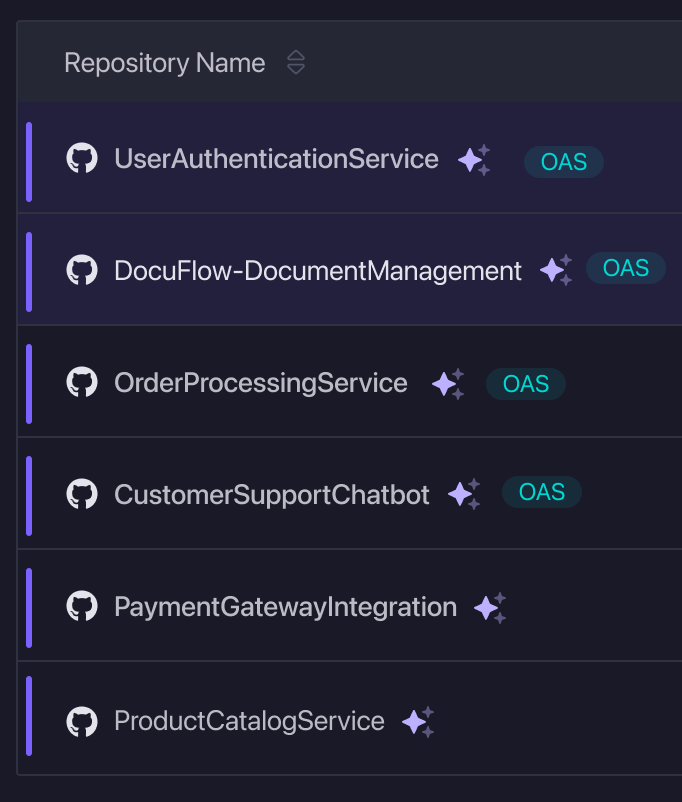
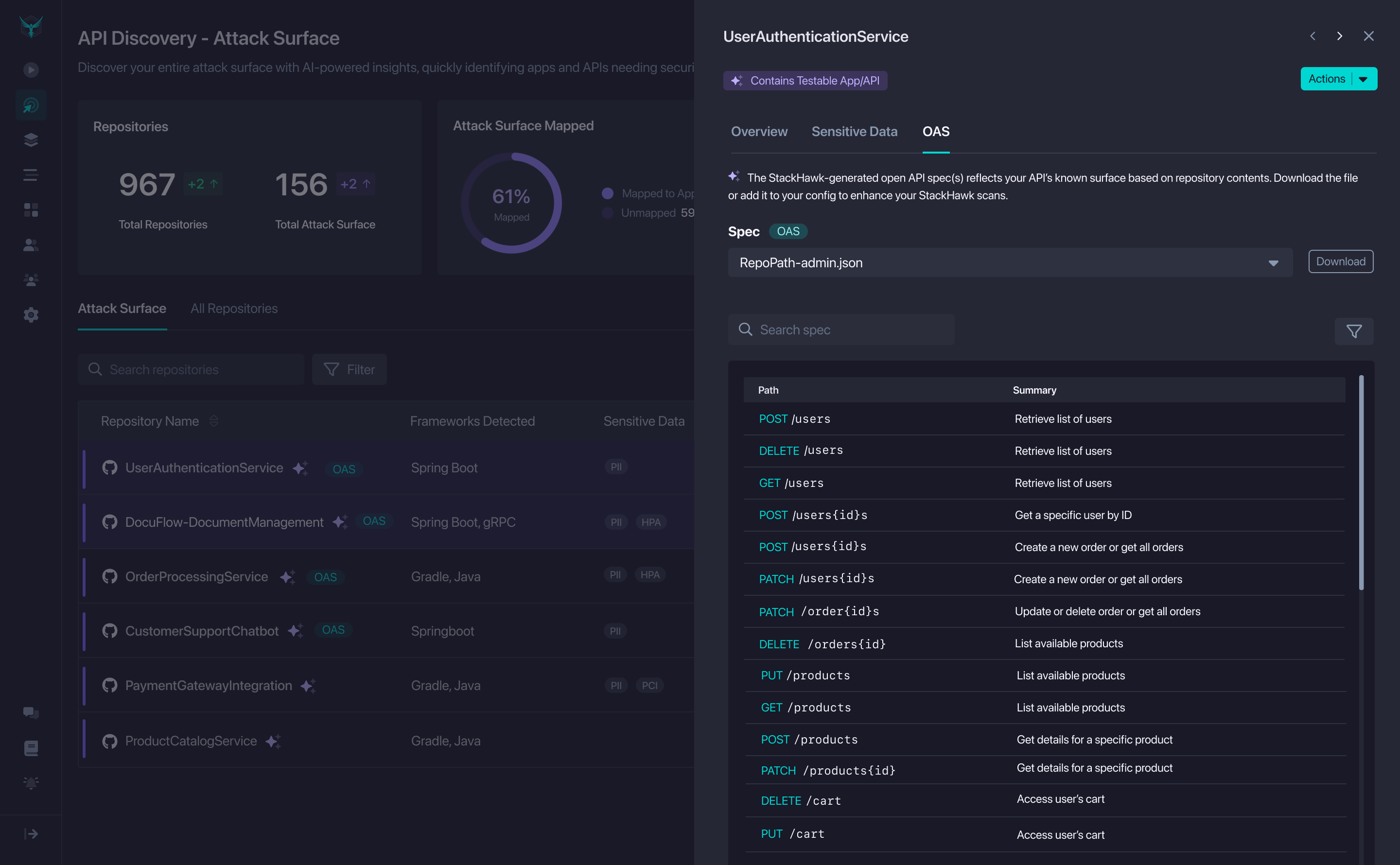
Click the OAS pill in the Attack Surface table to open the slideout.
From there, use the dropdown to select a generated spec, review endpoints, search, or filter by verb.
From Application Details
Go to the OAS tab to see all specs for the app. Each entry shows the repo, path, and a hawk:// URI. Click a spec to open its slideout for details.
Download the file or copy the hawk:// URI. Add it to your stackhawk.yaml under openApiConf.filePaths to use it in scans:
app:
  openApiConf:
    filePaths:
      - hawk://<oas-id>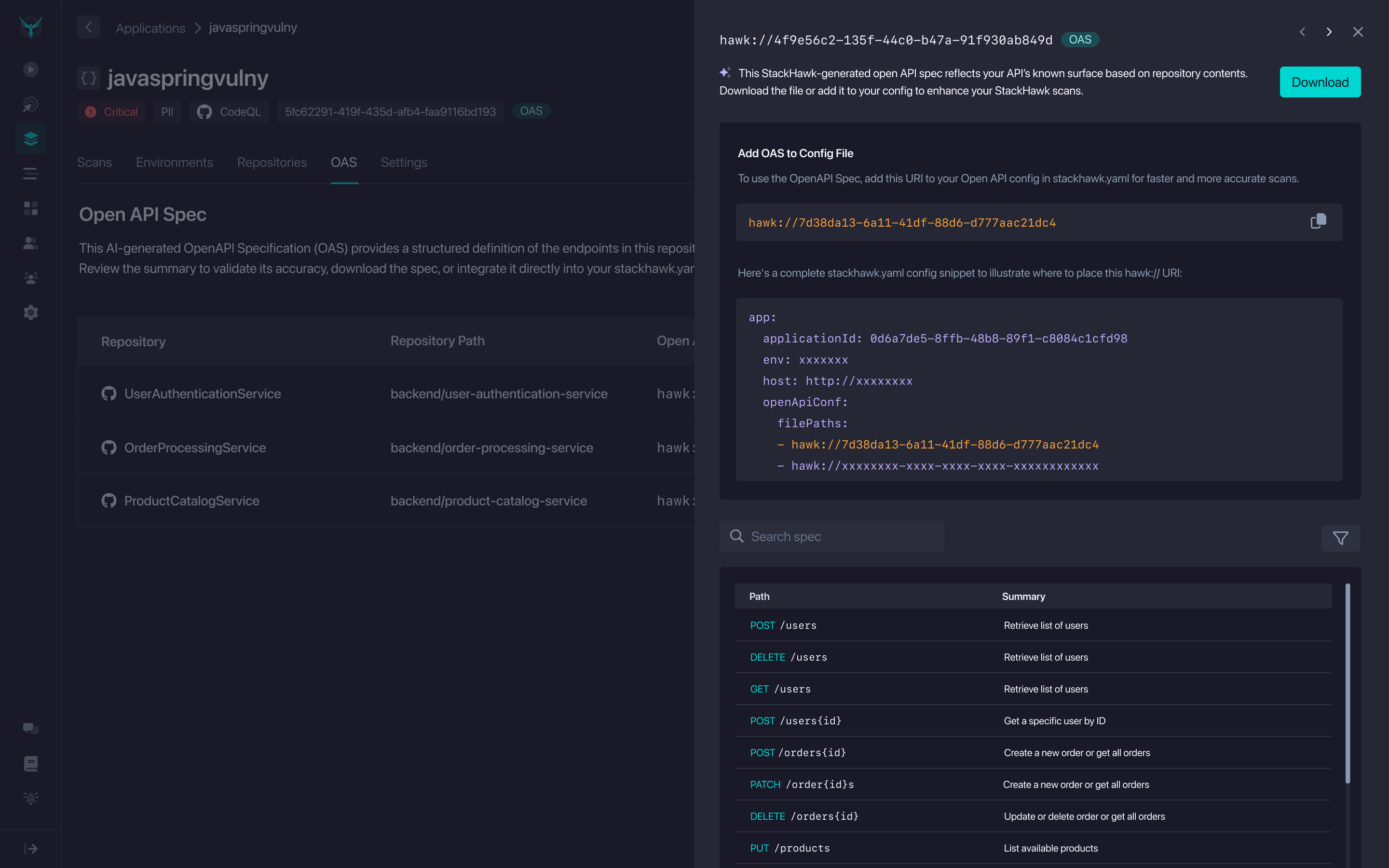
Platform Hosted Specifications
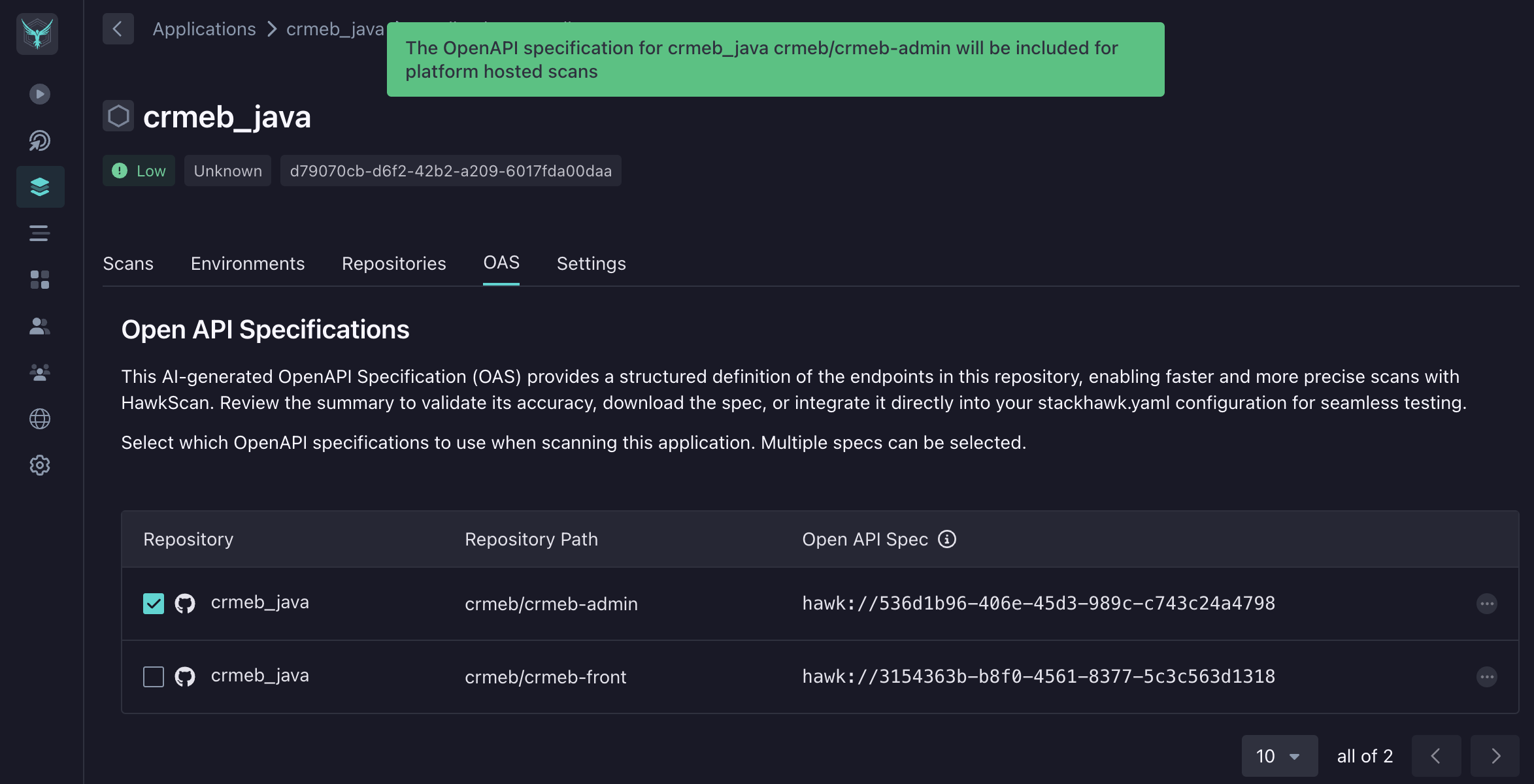
StackHawk-generated specs can be included in scans using the usePlatform: true configuration. Check the box next to a generated specification to include it when running HawkScan.
app:
  openApiConf:
    usePlatform: true
HawkScan requires at least one checked specification for the scanned application. The platform-hosted specs will be downloaded and used to drive the scan.
On the Scan Details Panel
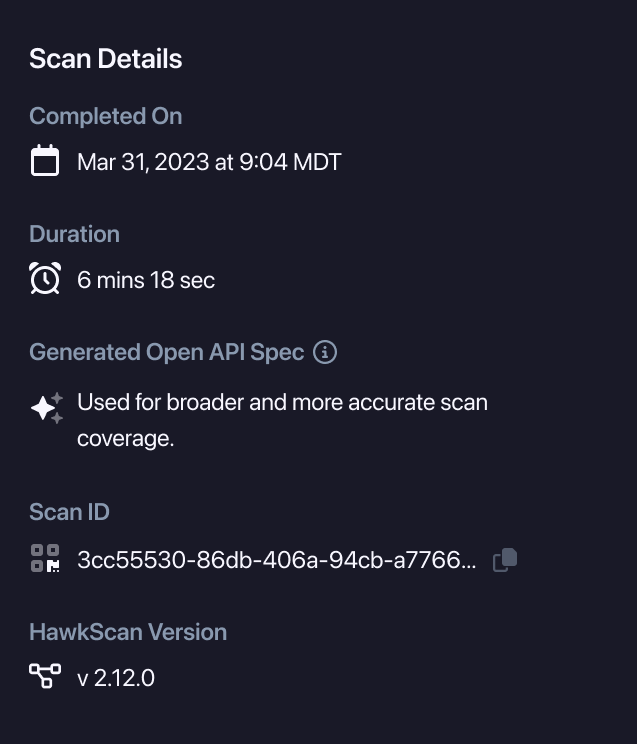
An OAS pill in the Scans table indicates the scan used a StackHawk-generated OpenAPI spec. Opening the scan shows the Scan Details panel with “Generated Open API Spec” confirmation.
Supported Languages & Frameworks
Spec generation is available for repositories using these language/framework combinations:
| Language | Framework | Status |
|---|---|---|
| C# | ASP.Net Core | Coming Soon |
| Java | Spring Framework | Beta |
| Java | Micronaut | Alpha |
| JavaScript | ExpressJS | Beta |
| JavaScript | NodeJS | Alpha |
| Python | Flask | Alpha |
| Scala | Play Framework | Alpha |
| TypeScript | ExpressJS | Beta |
Disabling OpenAPI Specification Generation
Spec generation uses AI to analyze code structure. Code analysis results (not raw source code) are processed by LLM services. No customer data is used for AI model training.
To disable this feature, go to Settings → Org Settings → HawkAI and toggle off OpenAPI Spec Gen.
Disabling this feature stops automatic spec generation. You’ll need to provide specs manually to test APIs without existing documentation.