

Single Endpoint Walkthrough
This guide covers how to set up HawkScan to analyze a web application with one endpoint:
Once scanned, use this pattern to add your remaining endpoints.
Gather Endpoint Details
HawkScan needs a few details about an endpoint to scan it:
| Detail | Description |
|---|---|
| URI/Path | The endpoint path, e.g., /api/search |
| Protocol | http or https |
| HTTP Method | Typically GET or POST |
| Parameters | Query params for GET, body payload for POST |
If you don’t know these offhand, use your browser’s developer tools to capture them.
GET request in Chrome
Here’s what a GET request looks like in the Chrome dev tools window for a sample application:
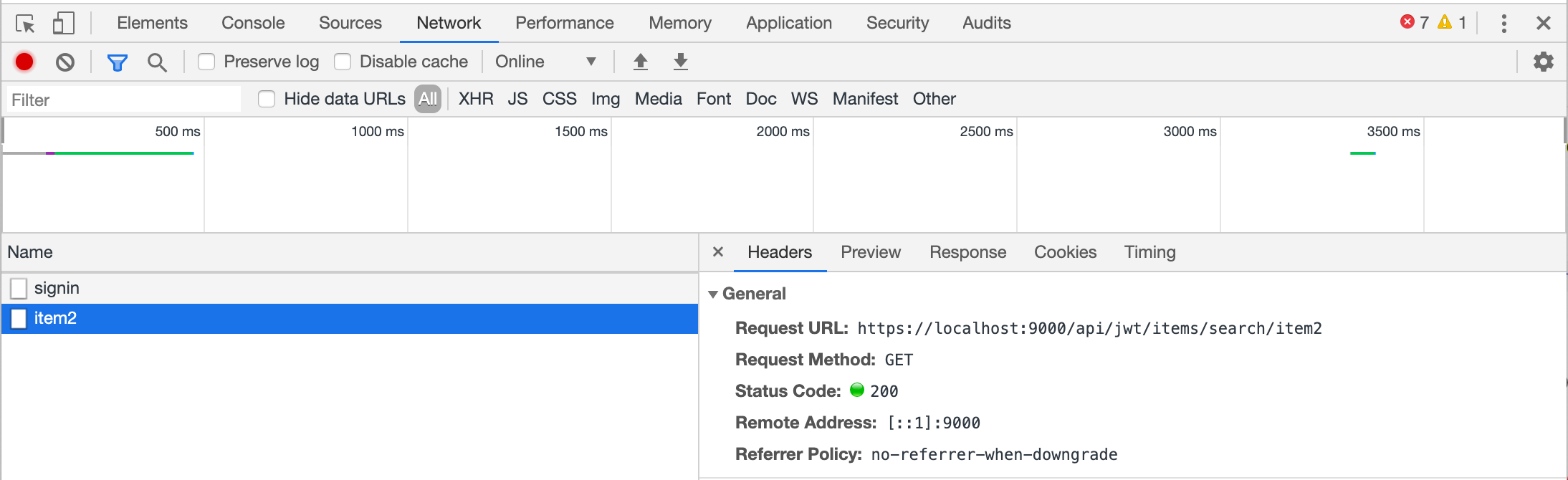
In this case, the Network tab shows requests on a timeline. The panels below display the request name and details. From this, we can extract:
- URL:
https://localhost:9000/api/jwt/items/search/item1 - Path:
/api/jwt/items/search/{searchText}(the last segment is a parameter) - HTTP Method:
GET
Note that item1 in the URL is actually a search parameter. If you search for item2, the URL changes to .../search/item2—the base path stays the same, but the parameter value changes.
POST request in Firefox
Other browsers have similar tools. Here’s a POST request in Firefox:
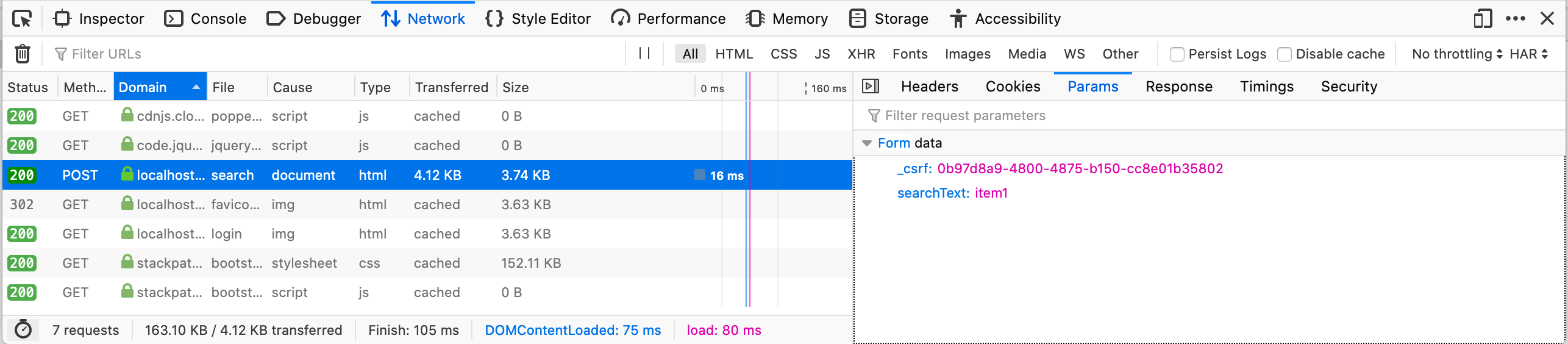
For this POST request:
- Path:
/search - HTTP Method:
POST - Parameters: POST parameters are passed in the request body, not the URL. Click the Params tab to see them:
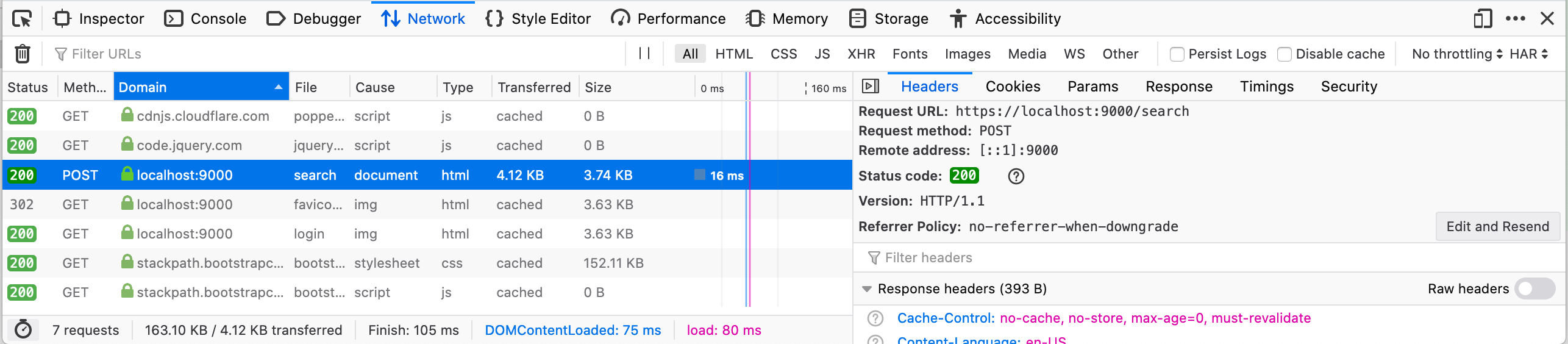
This shows the endpoint accepts a CSRF token and a searchText parameter.
Describe the Endpoint
Endpoints are described in the openApiConf section of your stackhawk.yml. The GET endpoint from above translates to:
app:
  applicationId: xxxxxxxx-xxxx-xxxx-xxxx-xxxxxxxxxxxx
  env: Development
  host: ${APP_HOST:https://localhost:9000}
  openApiConf:
    inline: |
      basePath: /api/open
      schemes:
        - https
      paths:
        /items/search/{searchText}:
          get:
            parameters:
              - in: path
                name: searchText
                type: string
The POST endpoint configuration is similar, but parameters go in the body. This example also includes antiCsrfParam for CSRF token handling:
app:
  applicationId: xxxxxxxx-xxxx-xxxx-xxxx-xxxxxxxxxxxx
  env: Development
  host: ${APP_HOST:https://localhost:9000}
  antiCsrfParam: _csrf
  openApiConf:
    inline: |
      basePath: /api/open
      schemes:
        - https
      paths:
        /search:
          post:
            parameters:
              - in: body
                name: searchText
                type: string
Run HawkScan
With your stackhawk.yml configured, run the scan:
docker run --rm -v $(pwd):/hawk:rw \
  -e API_KEY=hawk.xxxxxxxxxxxxxxxxxxxxxxxxxxxxxx.xxxxx \
  -t stackhawk/hawkscan:latest stackhawk.yml
HawkScan will now scan your endpoint for vulnerabilities.
Next Steps
Add more endpoints by extending the paths section of your OpenAPI spec. If your configuration becomes difficult to manage, move the OpenAPI spec to a separate file and reference it with openApiConf.filePath instead of inline.