

Findings
The Findings page shows every finding across every application and environment in your organization in one filterable, sortable table.
Findings Table
Each row represents a single finding on a specific path, in a specific environment of a specific application. Rows come from the most recent completed scan of each application and environment pair.
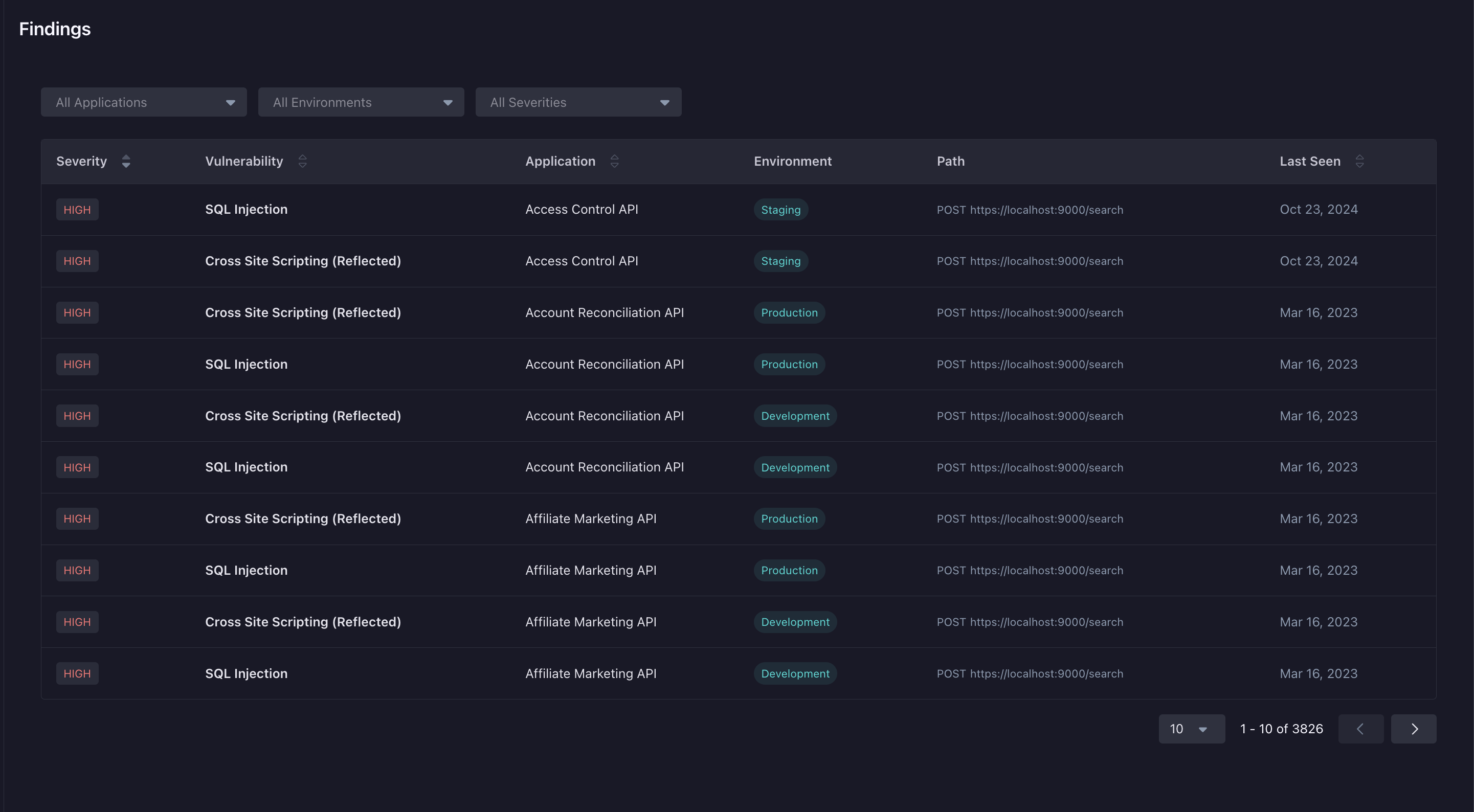
For each finding, the table shows:
- Application — The application the finding belongs to.
- Environment — The environment the finding was detected in.
- Vulnerability — The type of vulnerability (for example, SQL Injection or Cross Site Scripting).
- Severity — High, Medium, or Low.
- Path — The HTTP method and URL where the finding was detected.
- Last Seen — When the finding was most recently detected.
Click a row to open the Finding Details page, where you can inspect the request and response, validate the attack, and triage the finding.
Filtering and Sorting
Filter the table by Application, Environment, or Severity. Filters combine with AND semantics — only findings matching every active filter are shown. You will only see findings for applications your team has access to.
Sort by Last Seen (default), Severity, Vulnerability, Application, or Environment. Severity sorts by rank (High → Low), not alphabetically.
Triage actions are taken from the Finding Details page. Status changes are reflected on the Findings page after the next successful scan of the affected environment.
How the Page Updates
When a scan completes, its findings replace the previous entries for that application and environment — fixed findings drop off, and new ones appear. Error scans don’t update the page, so prior findings stay visible until a successful scan runs.